Step 1 - Try to Log In and Initiate the Recovery Process
If you suspect your Facebook account has been hacked, go to facebook.com/login immediately. If you can still log in, change your password right away and review active sessions. If you cannot log in because the hacker changed your password, click "Forgot password" and try recovering via your registered email or phone number. If the email was also changed, use the "No longer have access to these?" option on the recovery page. Act within the first few hours - the sooner you act, the higher the chance of recovery. Webomatic has guided multiple clients through Facebook account recovery in Ahmedabad and Gujarat.
Step 2 - Use Facebook's Hacked Account Recovery Tool
Facebook has a dedicated recovery portal at facebook.com/hacked - go there directly if you believe your account was compromised. The tool helps you identify how you were hacked, change your password, review and remove unrecognised devices, and secure your account. It also allows you to review apps and third-party services connected to your account and revoke access to any suspicious ones. Complete all steps in the tool before moving on. Webomatic walks clients through the Facebook recovery portal step by step during emergency support calls.
- Go to facebook.com/hacked immediately - this is Facebook's official account recovery starting point.
- Review and remove all unrecognised devices from your active sessions under Security and Login settings.
- Revoke access to all third-party apps connected to your Facebook account - some may be the entry point.
- Check if your registered email or phone number was changed - update it back through the recovery process.
- Webomatic provides step by step Facebook recovery support for clients in Ahmedabad and across Gujarat.
Step 3 - Recover Your Business Page After Account Recovery
If a hacker gained access to your personal account and your business page, they may have removed you as admin, added themselves, or begun posting harmful content. After recovering your personal account, check your page admin roles immediately and remove any unrecognised admins. If you were removed as admin and cannot access the page, use Facebook's "Request access" feature or the Business Manager support channel to report the situation. The process can take days - act quickly and document everything. Webomatic assists clients with page admin recovery through proper Facebook support channels.
- After recovering your personal account, immediately check and clean up your Facebook page admin list.
- Remove all admins added by the hacker before they can regain access after you secure the account.
- If removed from your own page, report it through Meta Business Support with business ownership documentation.
- Document all suspicious activity with screenshots - useful for Meta support and any cybercrime report.
- Webomatic assists clients with Meta Business account and page recovery through official support channels.
How to Prevent Your Facebook Account from Being Hacked Again
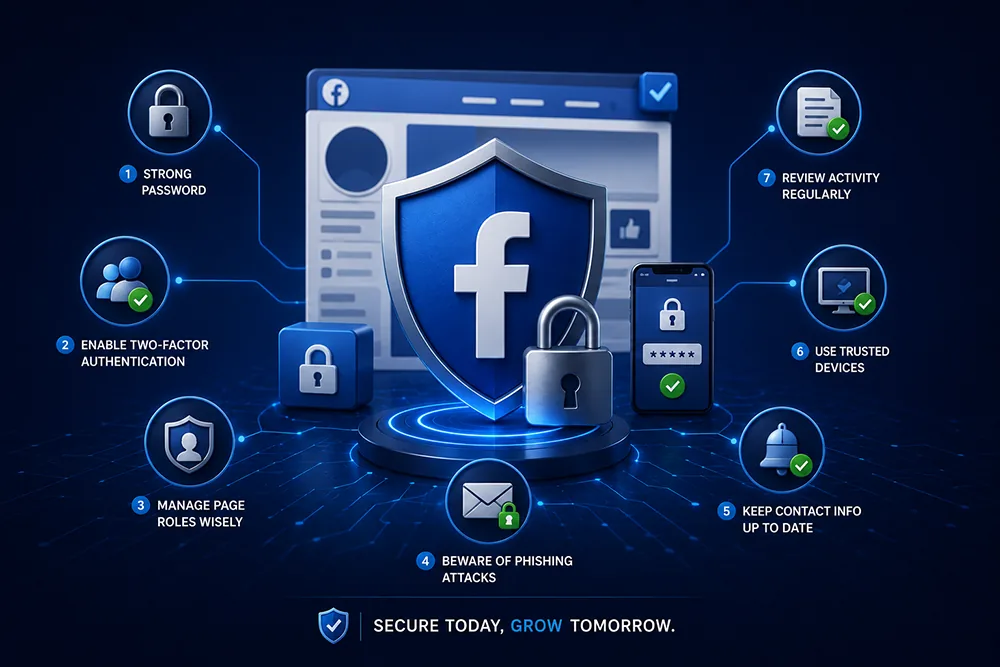
After recovery, immediately enable two-factor authentication using an authenticator app - not just SMS. Use a strong, unique password for Facebook that is not used on any other platform. Enable login alerts so you are notified of any new device login instantly. Review connected apps and remove all unnecessary ones. Never click links in messages claiming to be from Facebook - always go directly to facebook.com. Webomatic conducts a full security review for clients after a Facebook account recovery incident to prevent a repeat.
- Enable 2FA with an authenticator app immediately after recovery - this is non-negotiable for business accounts.
- Turn on login alerts - get instant notification on email and phone whenever a new login occurs.
- Remove all third-party app connections to Facebook that are not actively needed for your business.
- Never use the same password for Facebook that you use on any email, hosting, or other platform.
- Webomatic conducts a post-recovery security review for clients to prevent a second Facebook hack incident.
Facebook account recovery is stressful - but it is possible if you act quickly and follow the right steps. After recovery, the priority is ensuring it never happens again. Webomatic helps businesses across Ahmedabad, Vadodara, Surat, Rajkot, and all of India recover hacked social media accounts and secure them properly. Contact us at webomatic.in or call +91 99249 43005 for immediate support.