Why Instagram Business Accounts Get Hacked
Instagram business accounts are hacked through several common methods - phishing messages that mimic Instagram's official communications, credential stuffing (using leaked username-password combinations from other sites), third-party apps with excessive permissions accessing your account, and weak passwords. In India, a growing number of businesses lose their Instagram accounts to hackers who then demand money for return - or use the account to promote scams to your hard-earned followers. Webomatic helps all social media clients secure their Instagram accounts as part of the onboarding process.
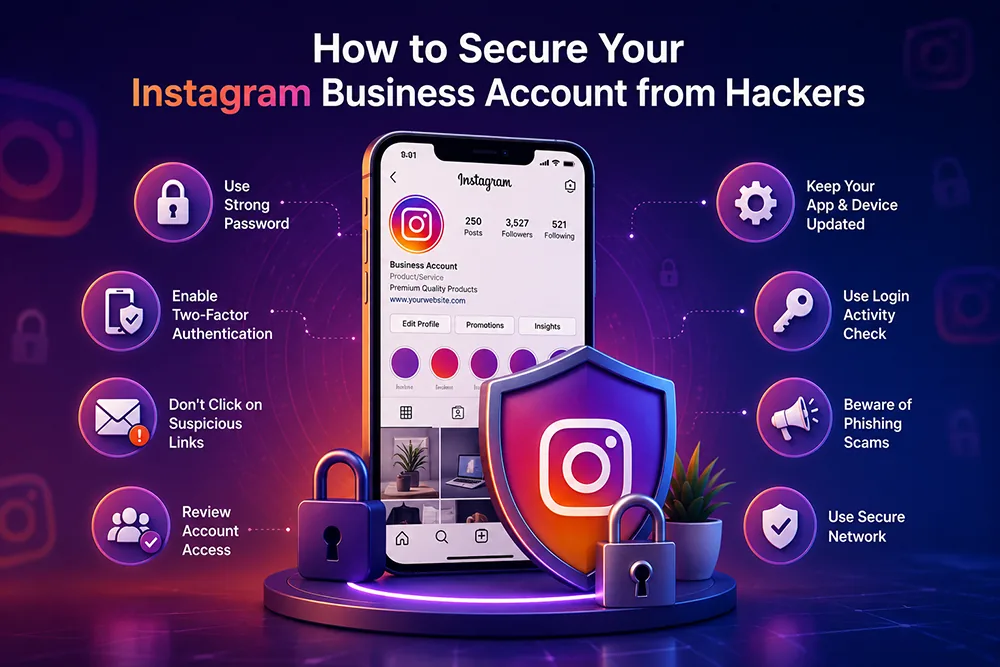
Enable Two-Factor Authentication on Instagram
Go to your Instagram profile, tap the menu, go to Settings and Privacy, then Accounts Centre, then Password and Security, and enable Two-Factor Authentication. Choose an authenticator app like Google Authenticator rather than SMS - it is significantly more secure. With 2FA active, logging in requires both your password and the live OTP from the app - making it almost impossible for hackers to access your account even if they have your password. Webomatic sets up 2FA on Instagram for all clients managing business accounts and Meta Ads.
- Enable 2FA using an authenticator app - SMS OTP can be bypassed via SIM swapping in India.
- Save your 2FA backup codes in a secure location - you will need them if you lose access to your phone.
- Enable login activity alerts so Instagram notifies you whenever your account is logged into from a new device.
- Use a strong unique password for Instagram - never reuse a password from any other website or app.
- Webomatic enables 2FA on Instagram for all clients as a standard step during social media account setup.
Review and Remove Third-Party Apps Connected to Instagram
Many businesses connect third-party tools to Instagram for scheduling, analytics, or growth automation. Each connected app has some level of access to your account - and if any of those apps is compromised or malicious, your account is at risk. Go to Settings, Security, Apps and Websites to review all connected apps. Remove any you do not recognise, no longer use, or that request excessive permissions. Only connect apps from reputable, well-known providers. Webomatic reviews connected app permissions for all client Instagram accounts during security audits.
- Go to Settings, Security, Apps and Websites - remove all apps you do not recognise or no longer use.
- Never grant "manage account" level permissions to third-party apps unless absolutely necessary.
- Automated follower growth tools and DM bots violate Instagram's terms and increase hacking risk significantly.
- Only connect tools from well-known providers like Meta Business Suite, Later, or Hootsuite.
- Webomatic audits connected app permissions for client Instagram accounts during regular security reviews.
Recognise and Avoid Instagram Phishing Scams
Instagram phishing scams come in many forms - fake verification offer messages ("We will give you the blue tick, click here"), fake copyright infringement warnings ("Your account will be deleted, appeal here"), and fake brand collaboration offers ("We will pay you Rs. 10,000 for one post, just log in here"). All of these lead to fake login pages that steal your credentials. Instagram never contacts you through DMs for account issues - check only the official Emails from Instagram section in your settings for real communications. Webomatic warns all clients about the latest Instagram phishing schemes targeting Indian businesses.
- Instagram never sends account warnings or offers through DMs - ignore and report all such messages.
- Check the Emails from Instagram section in Settings to verify any email claiming to be from Instagram.
- Fake verification or blue tick offers are always scams - Instagram's verification process is internal only.
- Never enter your Instagram password on any site linked from a DM - always navigate directly to instagram.com.
- Webomatic keeps clients informed about new Instagram phishing scams targeting Indian business accounts.
Your Instagram business account represents your brand, your content, and your community - protecting it takes only a few minutes of setup but can save you from devastating losses. Webomatic manages and secures Instagram accounts for businesses across Ahmedabad, Vadodara, Surat, Rajkot, and all of India. Contact us at webomatic.in or call +91 99249 43005 today.