
Creating a Professional Email Signature
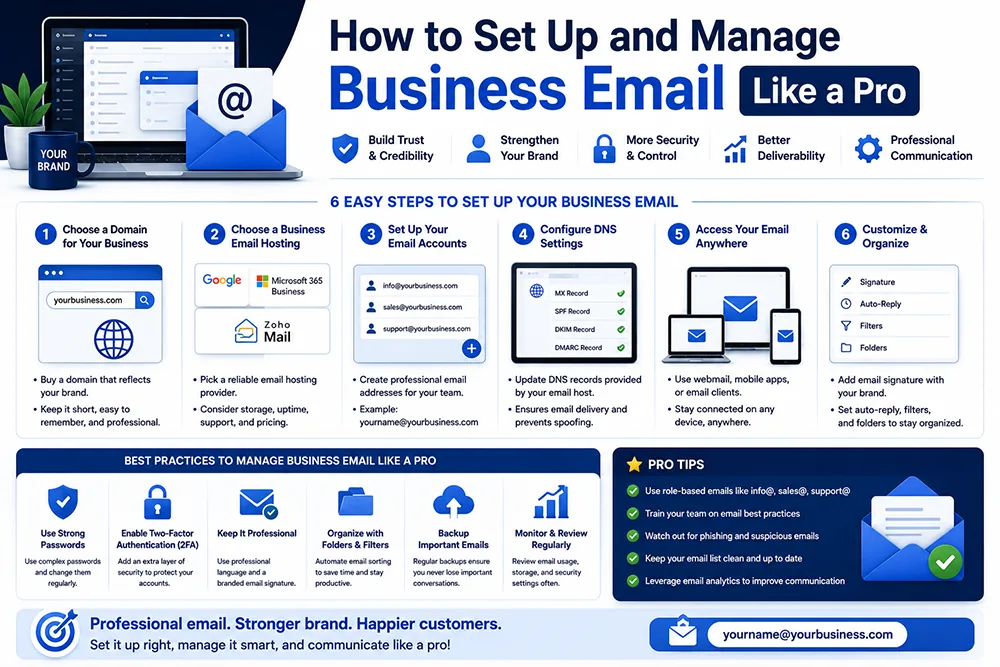
Your email signature is a small but powerful branding tool - it appears at the bottom of every email you send and can include your name, designation, company name, phone number, website link, and even social media links. A well-designed email signature makes you look professional and gives recipients all the information they need to contact you further. Webomatic helps clients design and set up professional HTML email signatures that match their brand identity.
How to Organise Your Business Email Inbox Efficiently
An unorganised inbox is a productivity killer. Create folders for different categories - Clients, Invoices, Leads, Projects, and Support - and set up filters to automatically sort incoming emails into the right folders. Mark important emails with stars or flags. Unsubscribe from marketing emails you never read. Reply to emails within 24 hours to maintain professional response standards. Webomatic coaches clients on email organisation as part of the initial email setup process.
- Create email folders for Clients, Invoices, Leads, and Projects to organise your inbox systematically.
- Set up email filters to automatically sort incoming messages into the correct folders without manual effort.
- Use email labels or flags to mark high-priority messages that need immediate attention or follow-up.
- Archive old emails instead of deleting them - archived emails can be searched and retrieved anytime.
- Reply to all business emails within 24 hours - slow responses damage client relationships and reputation.
What is Email Forwarding and When Should You Use It?
Email forwarding automatically redirects emails sent to one address to another - for example, forwarding [email protected] to your personal Gmail so you do not need to check multiple inboxes. cPanel makes it easy to set up forwarders. However, be cautious - forwarding to Gmail can sometimes trigger spam filters. A better option for managing multiple emails in one place is IMAP aggregation - adding all accounts to one email client. Webomatic advises clients on the right setup based on their email workflow.
- Email forwarders in cPanel let you redirect emails from one address to another automatically.
- Forwarding to Gmail may cause some emails to be marked as spam - test thoroughly before relying on it.
- IMAP aggregation in Outlook or Gmail app lets you check multiple accounts in one unified inbox.
- Autoresponders can be set up in cPanel to send automatic replies when you are out of office.
- Catch-all email addresses receive any email sent to your domain regardless of the prefix used.
How to Prevent Your Business Emails from Going to Spam
Business emails can land in a recipient's spam folder due to poor sending reputation, missing DNS records, or spammy content. Ensure your hosting has proper SPF, DKIM, and DMARC records configured for your domain - these are DNS settings that authenticate your emails and prove they are genuinely from you. Avoid using all-caps subject lines, excessive links, or spam trigger words. Webomatic configures SPF, DKIM, and DMARC records for all client domain emails to maximise deliverability.
- SPF record tells receiving servers which mail servers are authorised to send email from your domain.
- DKIM adds a digital signature to your outgoing emails - proving they have not been tampered with.
- DMARC policy tells receiving servers what to do with emails that fail SPF or DKIM authentication.
- Avoid spam trigger words in subject lines - words like "FREE", "URGENT", or "WIN" raise spam scores.
- Webomatic configures SPF, DKIM, and DMARC for every client domain during the hosting setup process.
Business email - when set up and managed correctly - is one of your most powerful and cost-effective communication tools. From professional signatures to spam-proof configuration, every detail matters. Webomatic handles email setup, configuration, and best-practice guidance for businesses across Ahmedabad, Vadodara, Surat, Rajkot, and all of India. Contact us at webomatic.in to get your business email properly configured today.