
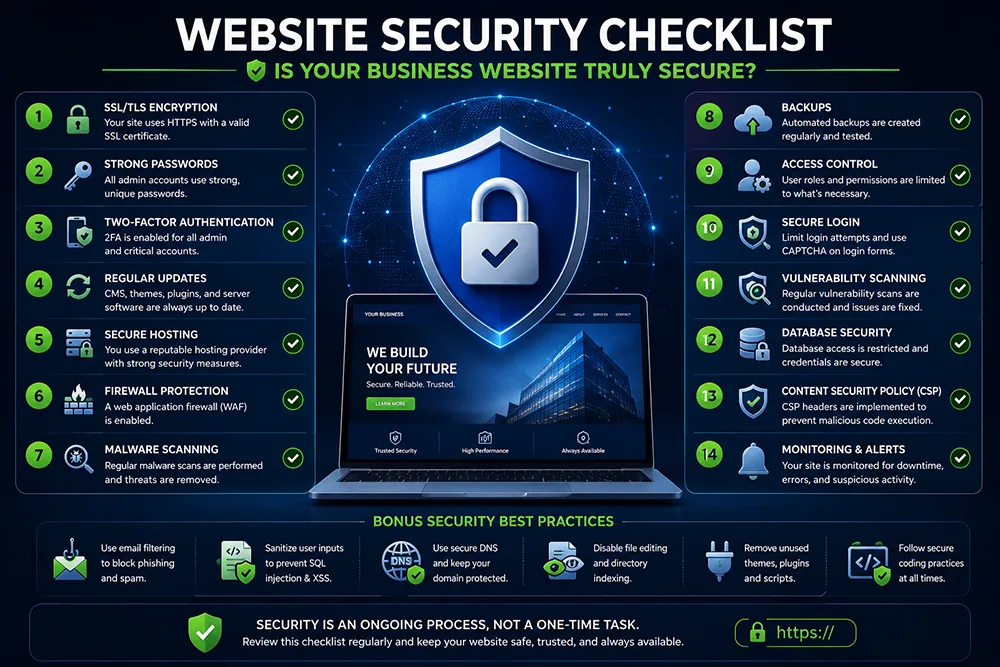
Is Your SSL Certificate Valid and Properly Configured?
SSL is the first and most visible layer of website security. Check that your site loads on HTTPS, the SSL certificate has not expired, there are no mixed content warnings, and the certificate covers all subdomain variations. Google flags expired or missing SSL with a full-page warning that drives visitors away immediately. Webomatic monitors SSL validity for all managed client websites and renews certificates before any lapse.
Are Your Website Software and Plugins Up to Date?
Outdated CMS software, plugins, and themes are the single biggest cause of website hacking. Developers release updates specifically to patch security vulnerabilities - delaying these updates leaves your site exposed. If you run WordPress, update the core, all plugins, and your theme regularly. Check for updates at least weekly. Webomatic handles software updates for all managed client websites - ensuring no critical security patch is ever missed.
- Outdated plugins are responsible for over 50% of WordPress website hackings globally every year.
- Enable automatic updates for WordPress core and use a plugin management tool to track outdated items.
- Remove unused plugins and themes entirely - inactive code can still contain exploitable vulnerabilities.
- Use a staging or test environment to test updates before applying them to your live website.
- Webomatic applies all software updates for client websites and tests functionality after each update.
Do You Have a Working Website Backup?
A backup is your insurance policy against hacking, server failure, or accidental deletion. Ensure you have an automated daily or weekly backup configured - and that you have tested a restore at least once. Store backups off-server - on your local computer or Google Drive. Know exactly how to restore your website from backup in case of emergency. Webomatic configures automated backup schedules for all managed client hosting accounts.
- Store website backups off-server - a hacked server may also delete or corrupt your backup files.
- Automated daily backups are essential for e-commerce websites where inventory changes happen constantly.
- Test your backup restore process once every three months - confirm it actually works before an emergency.
- Keep at least 30 days of backup history - so you can restore from a date before a hack was discovered.
- Webomatic implements all security hardening measures for client websites during design and post-launch.
Are Your Admin Passwords Strong and Unique?
Weak admin passwords are one of the top reasons websites get hacked. Use a unique password of at least 14 characters for every admin account. Never use the same password across your website admin, hosting cPanel, email, and domain registrar. Use a password manager to generate and store strong, unique passwords securely. Webomatic enforces strong password standards for all client hosting and website admin accounts from setup.
- Never use passwords like "admin123", your company name, or your phone number for any admin account.
- Change admin username from "admin" to something unique - "admin" is the first guess in brute-force attacks.
- Enable two-factor authentication (2FA) on your website admin panel for an extra layer of login security.
- Use a password manager like Bitwarden or 1Password to generate and manage strong unique passwords.
- Webomatic provides emergency hack recovery and post-incident security hardening for client websites.
Running through this security checklist regularly keeps your website safe, your customer data protected, and your business reputation intact. Webomatic provides website security audits and hardening for businesses across Ahmedabad, Vadodara, Surat, Rajkot, and all of India. Contact us at webomatic.in or call +91 99249 43005.