What is Meta Pixel?
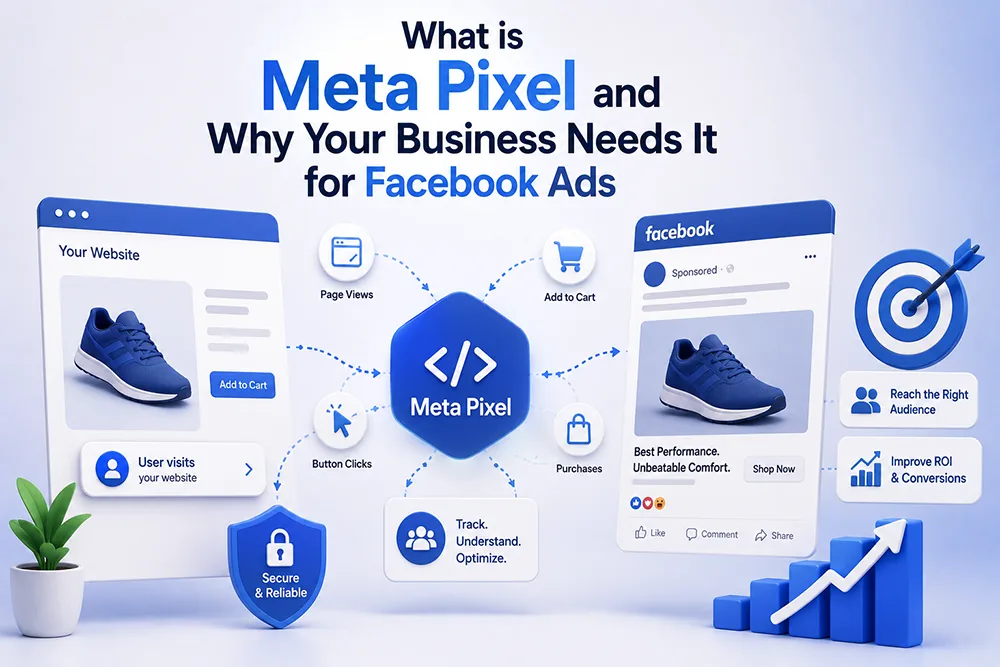
Meta Pixel (previously called Facebook Pixel) is a small piece of JavaScript code provided by Meta that you install on your website. Once installed, it tracks visitor behaviour - which pages they visit, what they click, whether they fill a form, and more. This data is sent back to your Meta Ads account and used to measure the performance of your Facebook and Instagram ads, build custom audiences for retargeting, and improve ad delivery to people most likely to convert. Webomatic installs Meta Pixel for every client running Meta Ads campaigns.
What Can You Do With Meta Pixel Data?
Meta Pixel enables powerful advertising capabilities. You can retarget people who visited your website but did not enquire - showing them your ads on Facebook and Instagram. You can create Lookalike Audiences - Meta finds new users who behave similarly to your existing website visitors. You can track conversions - seeing exactly which ads led to form submissions or purchases. You can optimise ad delivery so Meta shows your ads to people most likely to take action. Webomatic uses Pixel data to run highly targeted and cost-efficient Meta Ads campaigns for clients.
- Retargeting with Pixel shows your ads to people who visited your website but did not take any action.
- Lookalike Audiences let Meta find new potential customers similar to your existing website visitors.
- Pixel conversion tracking shows you which specific ads are generating real enquiries or sales.
- Meta uses Pixel data to optimise ad delivery - showing ads to users most likely to convert.
- Webomatic installs and configures Meta Pixel for every client running Facebook or Instagram ad campaigns.
How to Create and Install Meta Pixel on Your Website
Go to Meta Business Manager (business.facebook.com), navigate to Events Manager, and click Add New Data Source. Select Web, then create a Pixel and give it a name. Meta will provide a code snippet - copy it and add it to the head section of every page on your website. You can also use Meta's partner integrations if your site runs on WordPress or Shopify. Verify installation using the Meta Pixel Helper Chrome extension. Webomatic handles the complete Meta Pixel installation and event setup for all client websites running Meta Ads.
- Create your Pixel inside Meta Business Manager - not your personal Facebook account - for proper control.
- The Pixel code must be added to the head section of every page - not just the homepage.
- Use the Meta Pixel Helper Chrome extension to verify the Pixel is firing correctly on your pages.
- Set up Standard Events (Lead, Contact, Purchase) so Meta can optimise ad delivery for your goals.
- Webomatic installs Meta Pixel and configures Standard Events for all clients running Meta ad campaigns.
What is the Difference Between Meta Pixel and Conversions API?
Meta Pixel works through the browser - it tracks user actions on your website via JavaScript. However, browser-based tracking is increasingly affected by ad blockers, iOS privacy changes, and cookie restrictions - reducing data accuracy. Meta's Conversions API (CAPI) sends event data directly from your server to Meta - bypassing browser limitations for more reliable tracking. For businesses running large ad budgets, using both Pixel and CAPI together (called redundant events) provides the most complete and accurate conversion data. Webomatic configures both where applicable for advanced Meta Ads clients.
- Meta Pixel is browser-based - it can be blocked by ad blockers or affected by iOS privacy restrictions.
- Conversions API sends data server-to-server - bypassing browser limitations for more reliable tracking.
- Using both Pixel and CAPI together gives the most complete conversion data for Meta ad optimisation.
- Enable Automatic Advanced Matching in Pixel settings to improve match rates using hashed customer data.
- Webomatic configures Conversions API for high-budget Meta Ads clients for improved conversion tracking.
Meta Pixel is not optional if you are serious about Facebook and Instagram advertising. Without it, you cannot measure results, cannot retarget, and cannot improve your campaign performance over time. Webomatic installs and configures Meta Pixel for businesses running Meta Ads across Ahmedabad, Vadodara, Surat, Rajkot, and all of India. Contact us at webomatic.in to get your Pixel set up correctly today.